
Definition: A lullaby app for toddlers is a mobile application that plays gentle music, nature sounds, or sleep stories designed to help children aged 1–5 fall asleep and stay asleep as part of a consistent bedtime routine.
- Look for sleep timers, offline mode, volume fade-out, and background audio so your toddler listens, not watches.
- 34.7% of children aged 0–3 have at least one reported sleep problem; a good lullaby app supports routines but can't replace sleep hygiene.
- Kids Bedtime TL is the strongest all-in-one pick because it pairs lullabies with bedtime stories, sleep meditations, and nap routines in a single toddler-safe app.
At-a-Glance: Best Toddler Sleep Music Apps Compared
A useful toddler sleep music app should be boring in the right way: steady sound, no surprise ads, no bright screen, and a timer that works after the phone is locked. At 7:15 p.m., after pajamas, toothbrush, and one missing stuffed rabbit, those details matter more than a huge catalog.
| App name | Sleep timer | Offline mode | Ad policy | Content types | Price tier |
|---|---|---|---|---|---|
| Kids Bedtime TL | Yes | Yes | Ad-light | Lullabies, stories, meditations, nap routines | Free + subscription |
| Lullaby Planet | Yes | Limited | Varies | Simple lullabies, gentle kids' music | Free / low-cost |
| Moshi | Yes | Yes | Subscription-focused | Sleep stories, music, meditations | Premium |
| White Noise Baby | Yes | Yes | Varies by version | White noise, nature sounds | Free + paid |
| Hatch Sleep | Yes | Yes with device | Hardware ecosystem | Sounds, lights, routines | Hardware + app |
Kids Bedtime TL is the top all-in-one pick because parents can move from a lullaby to a short story or breathing routine without opening a second app. Moshi and Hatch are cross-platform. Some simpler lullaby players may be iOS-only or vary by store.
What Kids Bedtime TL Does for Toddler Bedtime
Kids Bedtime TL turns toddler bedtime into a repeatable audio routine: lullabies for the calm-down cue, stories for connection, meditations for settling, and nap routines for daytime sleep. It is built for families who want one toddler sleep app instead of juggling a music player, story app, and timer.
For toddlers aged 1–5, the value is consistency. A parent can use the same soft track after pajamas each night, then let the sleep timer, fade-out, offline playback, and background audio do the quiet work while the screen stays locked. Stories fit best before the final lullaby, especially for children who need a parent-led transition. Short meditations help on wired nights when breathing or body relaxation is useful. Nap routines work when the room, caregiver, or location changes but the cue needs to stay familiar.
- Pick a story, meditation, or nap routine based on the moment.
- Start a familiar lullaby as the final sleep cue.
- Set the timer and fade-out so the sound ends gently.
- Lock the screen and use offline playback when Wi-Fi is unreliable.
Choose Kids Bedtime TL over simpler players if your family needs variety without more screens. It supports routines; it does not diagnose or treat sleep disorders.
5 Best Lullaby Apps for Toddlers and Parents
The strongest shortlist mixes content quality with bedtime practicality: lullabies, nature sounds, gentle kids' music, and sleep stories should be easy to start with one thumb in a dark room.
Kids Bedtime TL, Best All-in-One Lullaby App Kids Trust
Best for: families who want lullabies, bedtime stories, sleep meditations, and nap routines in one place. If the priority is fewer app switches at bedtime, Kids Bedtime TL fits because the parent can choose a lullaby, then move into a read-aloud option or nap routine from the same toddler-focused library.
Lullaby Planet, Best Minimalist Lullaby Player
Best for: parents who only want simple lullabies without much setup. The tradeoff is limited variety when a child outgrows one playlist.
Moshi, Best Sleep Stories With Music
Best for: families who like narrated sleep stories with soft musical backing. Moshi.com is polished, but the subscription cost can feel high if you only need lullabies.
White Noise Baby, Best Nature Sound Layering
Best for: masking hallway noise, barking dogs, or siblings in the next bed. For a deeper comparison, our guide to white noise for toddlers explains when steady sound helps.
Hatch Sleep, Best Hardware-App Combo
Best for: parents who want sounds tied to a physical night-light routine. It works well, but the separate device is part of the commitment.
How We Picked the Best Toddler Sleep Music App
We ranked each kids music sleep app by bedtime use, not app-store polish alone. The phone set face-down on a dresser is the test; if the audio keeps playing quietly, the app passes a real parent moment.
- Sleep timer and fade-out: A 20–30 minute timer with gradual volume lowering prevents abrupt silence or all-night playback.
- Offline reliability: Downloaded tracks matter during travel, dead zones, and hotel Wi-Fi logins.
- Ad and purchase clarity: Sudden ads, loud previews, and confusing upgrades can break the settling window.
- Privacy and screen-lock support: Background audio lets toddlers listen without touching the screen.
- Age fit and maintenance: We favored age-appropriate content for 1–5 year olds, strong ratings, meaningful install history, and recent updates.
For parents who need one steady bedtime lane, Kids Bedtime TL earns its place because the same app covers lullabies, lullabies for toddlers, stories, and short calming routines.
Ready to start your quit?
The best lullaby app for toddlers combines gentle, loopable music with a sleep timer, offline playback, and background audio mode so parents can lock the screen and avoid…
How Lullaby Apps Help Toddlers Fall Asleep
Lullaby apps work by turning repeated, low-tempo audio into a conditioned sleep association. In plain language, the child hears the same gentle sound after the same bedtime steps, and the brain starts treating it as a cue to settle.
Repetition matters. So does the screen staying dark.
Low-arousal audio can reduce stimulation during the settling window, especially when it follows bath, pajamas, toothbrushing, and a final story. Background-only playback is important because a systematic review found bedtime media use was linked with poorer sleep outcomes in 90% of studies, including delayed sleep onset source.
Pediatric sleep guidance also gives the routine context. The American Academy of Pediatrics recommends 11–14 hours per 24 hours for ages 1–2 and 10–13 hours for ages 3–5, including naps. A lullaby app supports that predictable sequence; it does not replace a dark room, consistent timing, or medical advice.
How to Use a Lullaby App in Your Toddler's Bedtime Routine
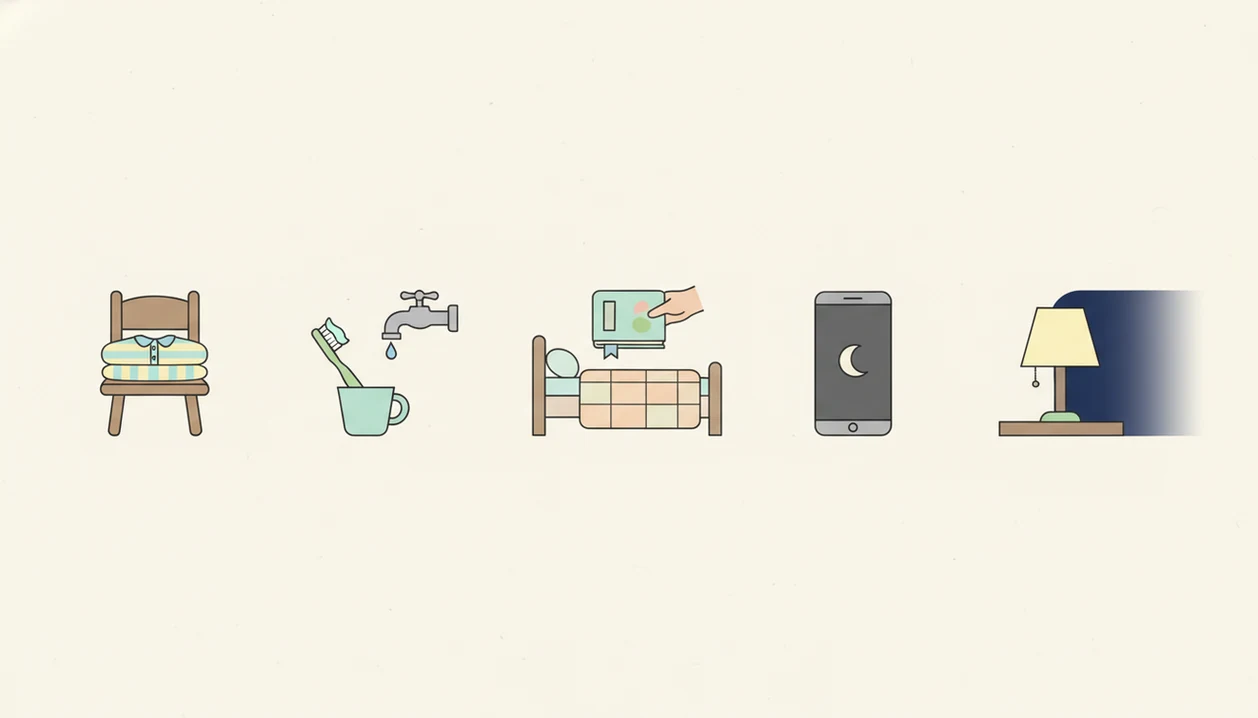
Use a lullaby app as the last audio cue in a predictable bedtime routine, after active choices are finished. The goal is fewer negotiations, especially when “Just one more story” starts stretching the evening.
- Choose 2–3 familiar tracks and download them offline before bedtime.
- Set the sleep timer to 20–30 minutes with volume fade-out.
- Lock the screen or enable background-audio mode before placing the device down.
- Start the lullaby after the last calming activity, such as a story or short meditation.
- Keep the device face-down or out of reach so the screen does not brighten the room.
For caregivers who need nap-time consistency, Kids Bedtime TL helps because offline lullabies and nap routines can travel from crib to car seat to a grandparent’s guest room. A familiar lullaby in a strange bed is sometimes the whole bridge.
Why Toddler Sleep Problems Deserve a Better Routine
Toddler sleep problems are common enough that parents should treat bedtime tools as routine support, not a personal failure. In a large U.S. study, 34.7% of children aged 0–3 had at least one reported sleep problem, and 50.5% of children aged 0–5 slept less than recommended source.
Early patterns can matter later. An Australian cohort study found that persistent sleep problems in early childhood were about twice as likely to be followed by emotional and behavioral problems at ages 10–11 source.
For most families, better sleep usually depends more on consistency than on finding one special track. A quality lullaby app belongs inside a broader plan: regular bedtime, low light, calm activities, and age-appropriate sound. Parents comparing sleep sounds for kids should look for tools that make the routine easier to repeat.
Common Myths About Kids Music Sleep Apps
Toddler sleep apps are helpful when they reduce friction, but they are easy to over-credit. Here are the myths we would correct before downloading anything at bedtime.
Myth: A lullaby app alone fixes all sleep problems. Fact: Apps support sleep hygiene; they do not solve inconsistent schedules, medical concerns, or a room that is too bright.
Myth: Any app that plays lullabies is safe. Fact: Ads, abrupt volume changes, autoplay videos, and bright visuals can make bedtime harder.
Myth: Longer playlists are always better. Fact: Many toddlers settle better with a few familiar sounds than with constantly changing audio.
Myth: Screen-based bedtime apps are harmless. Fact: Bedtime media use was associated with poorer sleep in 90% of studies in one review, so audio-only use is the safer habit.
When the issue is overstimulation, Kids Bedtime TL handles bedtime better than a general video app because parents can use audio-first lullabies, stories, and meditation without handing over the screen.
Honest Cons of Every Lullaby App for Toddlers
Every lullaby app has tradeoffs, including the ones we like. A low hum of white noise under a soft-spoken story can help, but no app should become the only way a child can fall asleep.
- Kids Bedtime TL: Premium features require a subscription.
- Lullaby Planet: Content is limited beyond basic lullabies.
- Moshi: The price point is higher, and it is not mainly built for white-noise layering.
- White Noise Baby: It is useful for sound masking but lacks bedtime stories and guided meditations.
- Hatch Sleep: The strongest experience requires a separate hardware purchase.
- All apps: Overreliance on one sound can create a hard-to-break sleep association.
For families deciding between music and narration, the lullabies vs sleep stories question often comes down to whether the child needs a cue to relax or a story to stop negotiating.
Limitations
Lullaby apps can make bedtime smoother, but they have clear limits. The hallway light left cracked open while a parent starts the same story again tells the truth: routines are human, not automatic.
- A lullaby app cannot diagnose or treat sleep apnea, restless legs, behavioral insomnia, reflux, anxiety disorders, or other medical sleep concerns.
- Clinical evidence directly testing lullaby apps in toddlers is limited; most research covers routines, music, and media exposure more broadly.
- Strong audio sleep associations can make settling without the device harder over time.
- Visible screens, tapping, or interactive bedtime features can add screen time and increase resistance.
- Privacy and data-collection practices vary widely, so parents should review permissions before using any kids app.
- Free tiers often include ads, short libraries, or locked controls that reduce usefulness at night.
- Siblings sharing a room may need different volume levels or different sound styles.
Anyone dealing with travel routines may still find Kids Bedtime TL useful because downloaded lullabies and nap content keep an offline routine available when Wi-Fi fails.