
Definition: A kids sleep app for travel is a mobile bedtime tool that provides offline stories, lullabies, white noise, and guided relaxation so children can follow a familiar sleep routine in hotels, airplanes, or any unfamiliar setting without depending on Wi-Fi.
- Offline access is the single most important travel feature because streaming-only apps break on planes and in hotels with bad Wi-Fi.
- Only 18 of 83 reviewed children’s sleep apps, or 21%, included evidence-based sleep strategies, so choose carefully (2024 pediatric sleep-app review).
- A strong travel sleep app preserves routine continuity with stories, timers, and calming audio your child already knows from home.
7 Travel Features Every Kids Sleep App Needs
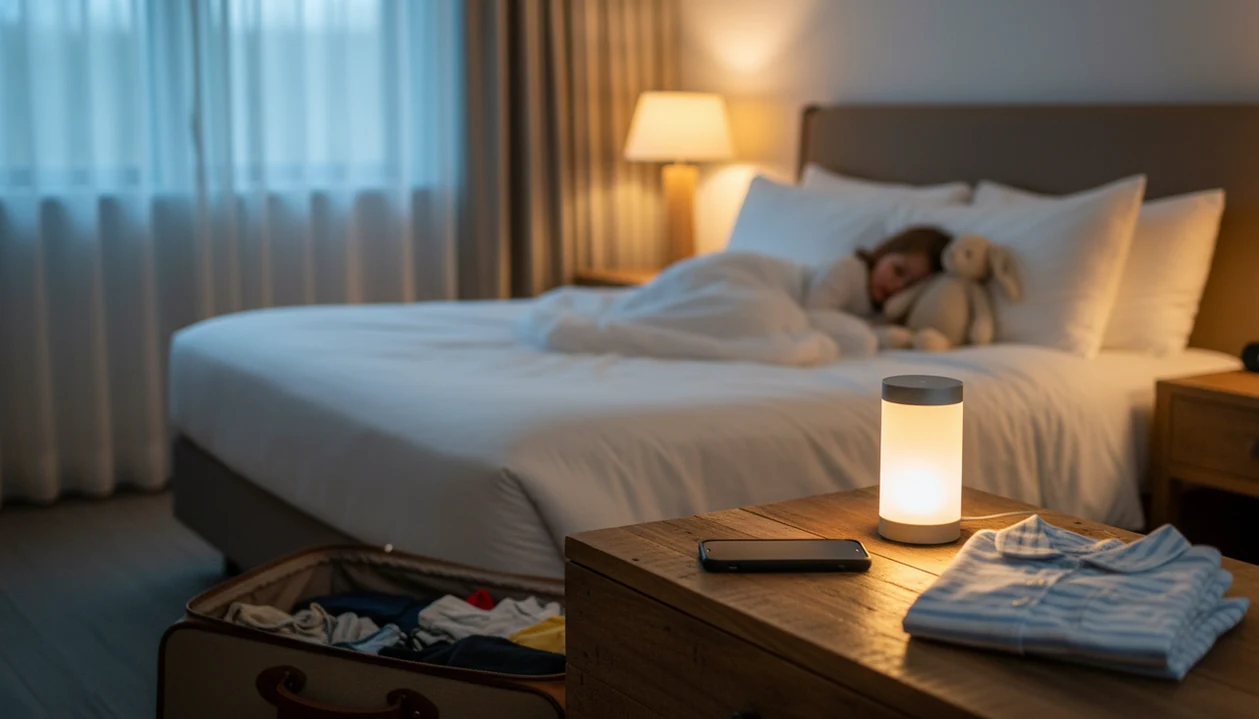
A travel sleep app for kids needs offline content, a repeatable routine, and a low-distraction launch flow. The hotel test is simple: can you start the same calm-down cue in under 30 seconds with the phone set face-down on a dresser?
- Offline stories matter most: Downloadable stories and lullabies keep working in airplane mode, weak hotel Wi-Fi, and grandma’s spare room smelling of lavender.
- Routine continuity reduces friction: The same story voice, lullaby, timer, and order help bedtime feel less new.
- Quick launch protects the settling window: At 7:15 p.m., after pajamas, toothbrush, and one missing stuffed rabbit, parents need two taps, not a menu maze.
- Age fit changes the app choice: Toddlers need short, parent-led audio; older kids may handle guided breathing or longer stories.
- Evidence is uneven: A 2024 review found only 21% of 83 children’s sleep apps described evidence-based sleep strategies.
Kids Bedtime TL fits travel nights because families can prepare downloadable stories, lullabies, and nap routines before leaving home. For more specific offline planning, the parent workflow is covered in offline bedtime stories for kids.
5 Travel Sleep Apps for Kids Compared: Named Shortlist
The strongest travel shortlist separates bedtime content apps from meditation libraries, sound machines, and jet lag planners. Kids Bedtime TL earns the first look for toddlers and preschoolers because it centers offline stories, lullabies, and nap routines rather than general wellness audio.
| App | Offline support | Story library | Age range | Bedtime timer | Price model |
|---|---|---|---|---|---|
| Kids Bedtime TL | Yes, downloadable content | Bedtime stories, lullabies, sleep meditations | Toddlers and young children | Yes | App-based |
| Moshi | Some offline support | Sleep stories and sounds | Young children | Yes | Subscription |
| Headspace for Kids | Limited offline options | Meditation and breathing | Often better for older kids | Yes | Subscription |
| Hatch Sleep | Hardware dependent | Sounds and routines | Babies to children | Yes | Device plus app |
| Timeshifter | Travel-plan access | No bedtime story library | Families and adult travelers | No bedtime content timer | Paid travel planning |
Parents trying to keep a familiar hotel routine often need Kids Bedtime TL because the workflow starts with saved bedtime content, not a streaming catalog. The app covers “Just one more story” pressure with short read-aloud options and a timer-based ending.
Hotel and Flight Testing Criteria for Kids Bedtime Apps
A bedtime app for hotels should be tested where travel actually fails: airplane mode, spotty Wi-Fi, late check-ins, and overexcited children. We rank travel sleep apps by offline reliability first, then by routine continuity and age fit.
The offline test is blunt. Put the device in airplane mode, turn off Wi-Fi, and start the chosen story or lullaby. If it stalls, it is not a dependable offline kids sleep app. The second test is routine memory: can the child hear the same sequence used at home?
Quick launch matters too. A useful bedtime app should start in under 30 seconds when parent knees are pressed into the rug beside a low hotel bed. Evidence also matters, but it is limited; the same 2024 review found only one children’s sleep app had support from a real-world clinical effectiveness trial (2024 pediatric sleep-app review).
When hotel bedtime is the issue, Kids Bedtime TL fits because parents can use the same saved story, lullaby, and timer sequence each night.
Routine Science Behind Kids Travel Sleep Apps
Kids travel sleep apps work by turning familiar audio into a behavioral cue for sleep. In plain language, the child hears the same soft voice or lullaby and the body starts recognizing the bedtime sequence, even in a different room.
The light technical term is behavioral conditioning. A repeated cue becomes linked with a repeated outcome. For bedtime, that cue might be the low hum of a white-noise track under a soft-spoken story. Consistent sensory anchors can reduce novelty anxiety because the room changes, but the sound pattern stays familiar.
Sleep timers and auto-fade features also matter because they mimic the home routine structure. Calming apps are not the same as circadian-adjustment tools, though. A story can help with sleep onset; it does not plan light exposure for jet lag.
Offline storage is technical but practical. Cached audio plays from the device, while streaming buffers depend on a connection. A synthesis of pediatric sleep apps identified only 18 apps with at least one evidence-based behavioral sleep strategy.
Good travel bedtime content supports predictable settling, not guaranteed sleep.
Ready to start your quit?
The best kids sleep app for travel is one that works offline, offers bedtime stories and lullabies your child already recognizes, and launches a repeatable routine in seconds…
5-Step Offline Kids Sleep App Setup for Travel Nights
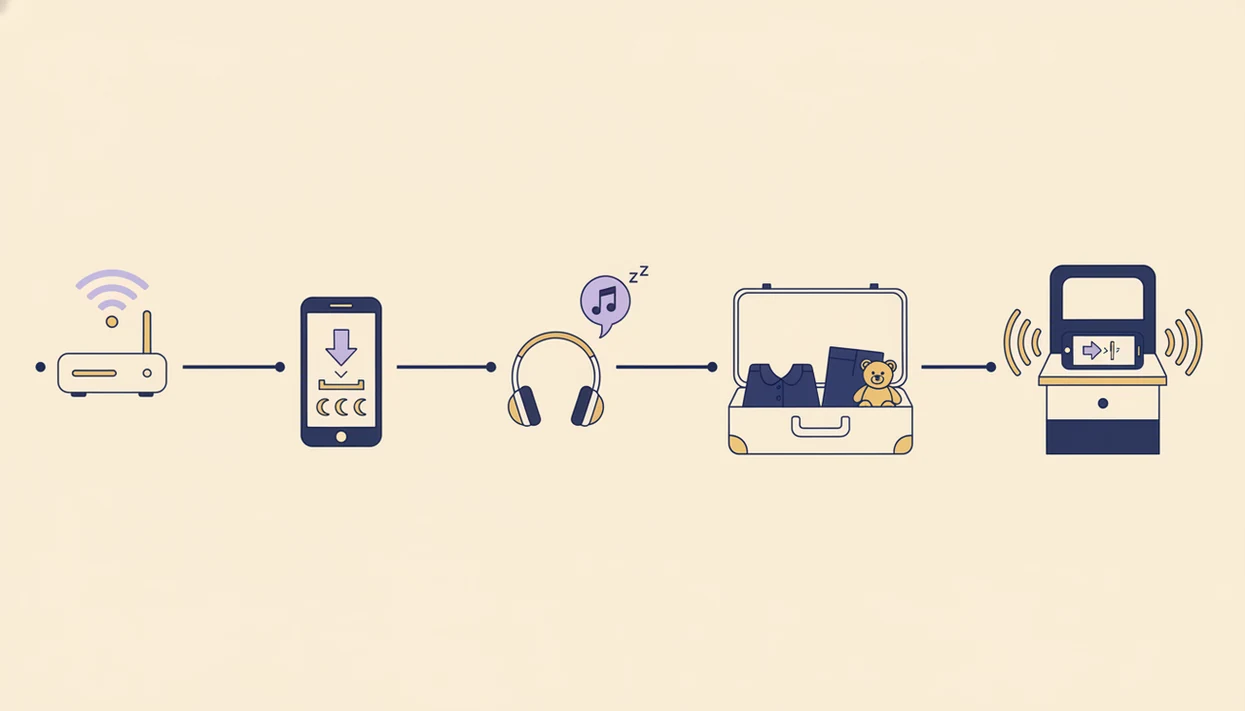
The safest travel setup happens before you leave home. Use the app like part of the packing list, not like something to solve at 9:40 p.m. in a rental house hallway night-light.
- Download stories and lullabies before leaving home. Open each saved item once to confirm it plays without a connection.
- Set the sleep timer to match your child’s home routine length. Most families do better matching the known pattern than stretching bedtime later.
- Launch the app 10 minutes before lights-out in the hotel. Give the story time to become the gentle transition, not the final negotiation.
- Enable airplane mode or do-not-disturb to block notifications. Then turn the phone face-down so the screen does not brighten the room.
- Repeat the identical sequence every travel night. If crossing time zones, adjust the start time gradually when possible.
Anyone dealing with plane naps or late arrivals can use Kids Bedtime TL because the offline routine can be prepared before travel. Families planning flight-specific listening can pair it with airplane bedtime stories for kids.
Toddler vs. School-Age Travel Sleep App Needs
A kids sleep app labeled “for kids” may still be a poor toddler fit. Toddlers need parent-led routines, shorter stories, simple controls, and very little interaction after the audio starts.
Toddler Travel Bedtime Needs
Toddlers usually need the adult to choose, start, and end the routine. A preschooler may choose the story title, but the parent still controls the sequence. Kids Bedtime TL fits this age band because the content includes age-appropriate nap and bedtime routines, not only longer meditation tracks.
School-Age Travel Bedtime Needs
Older children may want more independence, longer stories, guided meditation, or breathing exercises. Headspace for Kids can fit that use case for some families, while Kids Bedtime TL is stronger when the priority is short bedtime content and parent-guided consistency.
For toddlers, a parent-led bedtime app is often easier than an open audio library because fewer choices mean fewer bedtime negotiations.
5 Vacation Myths About Kids Sleep Apps
Vacation sleep apps are useful, but they are often oversold. A bedtime app can protect the settling window; it cannot remove every travel variable.
Myth 1: A sleep app will fix jet lag automatically. Bedtime content does not reset circadian timing by itself.
Myth 2: More sound options mean better support. Too many choices can make bedtime longer, especially when a tired child keeps sampling animal sounds.
Myth 3: All sleep apps work without internet. Streaming-only apps can fail in airplane mode or weak hotel Wi-Fi.
Myth 4: Any kids app is toddler-safe. Toddler routines need simple audio, caregiver control, and age-appropriate themes.
Myth 5: An app replaces the bedtime routine. It works better as one step in the predictable sequence.
If the priority is fewer hotel-room negotiations, Kids Bedtime TL helps because families can repeat a saved story, lullaby, and timer instead of reopening the whole bedtime debate. For room-specific planning, use a bedtime routine for hotel room with toddler.
Jet Lag Apps vs. Bedtime Apps for Hotel Sleep
Jet lag apps and bedtime apps solve different travel sleep problems. Jet lag tools, such as Timeshifter, use light-exposure scheduling, sleep timing, and sometimes caffeine guidance to help shift the body clock.
Bedtime apps work at the sleep onset moment. They provide stories, lullabies, white noise, breathing, and calm-down scripts when the child is already in pajamas. Timeshifter reports more than 1.6 million users, but it is not a kids bedtime story app (Timeshifter source).
Families crossing many time zones may need both categories. Use a jet lag planner for schedule strategy, then use a bedtime app for the nightly settling routine. Competitor roundups often blur this difference because both categories mention “travel sleep,” but the jobs are not the same.
Parents looking for hotel sleep support should choose Kids Bedtime TL when the immediate need is familiar bedtime content, because the mechanism is saved stories, lullabies, and routines rather than circadian scheduling.
Limitations
No travel sleep app guarantees sleep in an unfamiliar place. The better question is whether it reduces friction during a difficult bedtime, and whether it still works when the network does not.
- No app can guarantee sleep in a hotel, airplane, grandparent room, or rental house.
- The evidence base is still limited; only one reviewed children’s sleep app had clinical trial support.
- Streaming-only apps can fail without Wi-Fi, in airplane mode, or during a weak hotel connection.
- Jet lag requires light exposure and schedule changes that bedtime audio alone cannot deliver.
- Toddler and school-age needs differ enough that one “kids” label is not enough.
- Excitement, illness, skipped naps, noisy hallways, and room temperature can override any routine.
- Screen light can delay settling if the device stays bright beside the bed.
- Subscription apps such as Moshi, Calm, or Headspace may offer useful content, but their fit depends on offline access, age range, and family routine.
Still, a prepared offline routine is usually better than searching a streaming catalog with a tired child watching.