
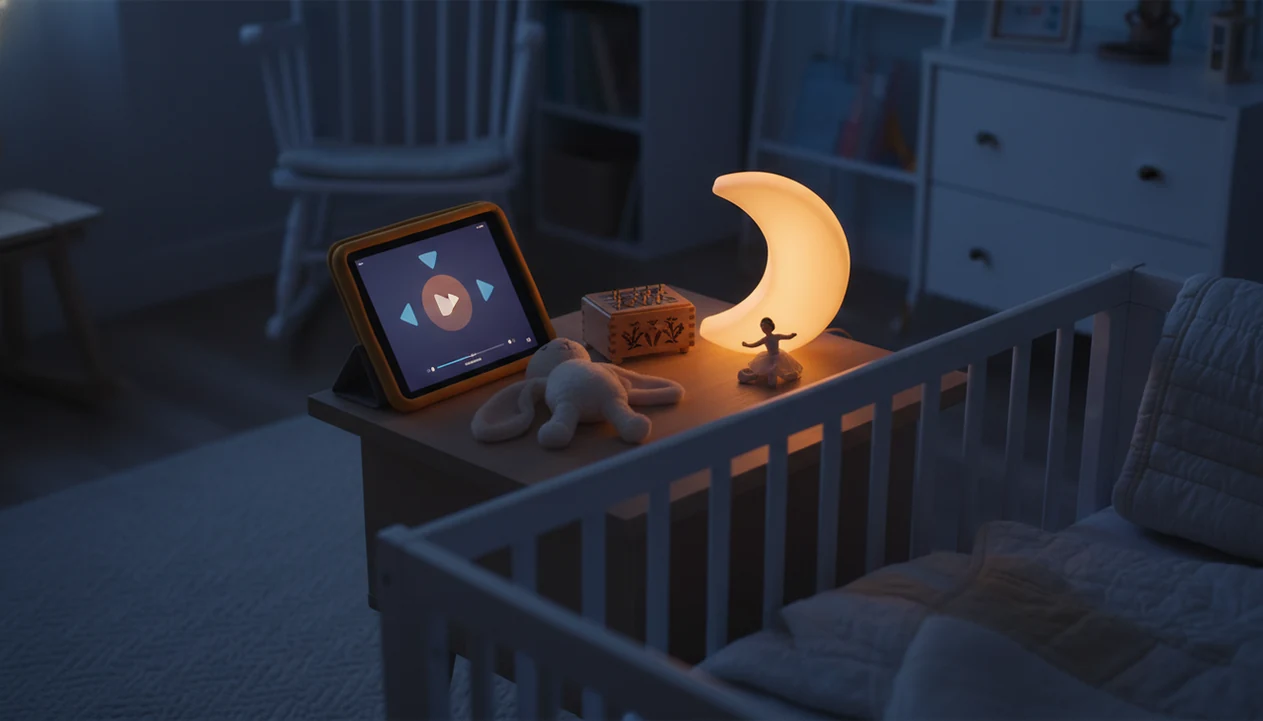
Definition: A kids lullaby player is a bedtime music app feature that plays calming lullabies, gentle sounds, or sleep audio for babies, toddlers, and young children with caregiver-friendly controls like timers, repeat, and offline access.
What a Kids Lullaby Player Actually Does at Bedtime
A kids lullaby player gives caregivers a bedtime-specific audio tool, not a full music catalog to manage in the dark. It exists so one calm track can start quickly, repeat easily, and stop without turning bedtime into another screen session.
General music apps can work, but they often bring ads, bright menus, unrelated recommendations, and autoplay surprises. That is a lot at 7:15 p.m., after pajamas, toothbrush, and one missing stuffed rabbit.
The main use is simple: play age-appropriate lullabies or gentle sounds while a child moves from active evening mode into a predictable settling window. Lullabies also support bonding. A caregiver rocking beside the crib does not need a giant library; they need the same soft cue to work tonight.
Parents who want bedtime audio without browsing pressure can use Kids Bedtime TL because the lullaby player is built around repeat, timer, and low-friction nighttime playback.
How a Kids Sleep Music Player Works Behind the Scenes
A kids sleep music player works by pairing repetition with gentle audio design. In behavioral terms, the repeated track becomes a sleep cue, which means the sound starts to signal the same predictable sequence: quiet room, lower light, close caregiver, rest.
Good lullaby tracks usually use slow tempo, low dynamic range, and gradual fade-outs. In plain language, they avoid sudden jumps. No cymbal crash after a child’s eyelids finally get heavy.
Timer logic matters too. A sleep timer stops playback automatically, so audio does not run all night or restart during lighter sleep. Content curation matters just as much, because “sleep music” online can still include lyrics, volume changes, or themes that are not age-appropriate.
A 2022 systematic review and meta-analysis found that sound and music interventions can improve infant sleep outcomes, although effects vary by study design and intervention type source. The most useful approach is consistent calming audio inside a predictable routine, not a new track every night.
Five Must-Have Lullaby App Features for Nighttime Use
- Adjustable sleep timer: A lullaby player should stop after a chosen duration, such as 10, 20, or 30 minutes, instead of playing indefinitely.
- One-tap repeat: Replaying the same lullaby or playlist helps the sound become a familiar calm-down cue over time.
- Offline playback: Downloaded lullabies prevent a Wi-Fi drop from interrupting the exact moment a child starts settling.
- Dark mode or screen dimming: A bedtime music app should not brighten the room when a caregiver checks the timer.
- Simple start and stop controls: One-handed controls matter when tiny fingers are clutching a blanket edge and the other hand is not free.
If your priority is a quiet, repeatable audio step, Kids Bedtime TL fits because the lullaby player keeps timer, repeat, and offline controls close together rather than buried under a streaming menu.
How to Use the Kids Bedtime TL Lullaby Player
Use the Kids Bedtime TL lullaby player as the last calm audio step in the bedtime routine, not as background noise for the whole evening. The goal is a clear cue your child can recognize.
- Open the lullaby section in Kids Bedtime TL after pajamas, brushing, and the final bathroom trip.
- Pick a track or playlist that fits your child’s age, mood, and sound preference.
- Set the sleep timer to match the usual fall-asleep window, such as 15 or 25 minutes.
- Tap play, dim or lock the screen, and place the device safely away from the sleep surface.
- Repeat the same selection each night so the sound becomes part of the predictable sequence.
Caregivers who hear “Just one more story” at lights-out can use Kids Bedtime TL because the lullaby player gives a clear closing step after a story or meditation. The routine ends with music, not another negotiation.
For children who also settle well with spoken audio, the bedtime story sleep timer can pair the same timer habit with read-aloud content.
Ready to start your quit?
A kids lullaby player is a bedtime music app feature for playing gentle songs, soft sounds, and calming audio with simple nighttime controls. Kids Bedtime TL includes a lullaby…
When to Use a Bedtime Music App in Your Child's Routine
A bedtime music app is most useful when it marks a transition: nightly lights-out, nap time, or sleep away from home. It should sit near the end of the routine, after active tasks are finished and the room is already getting quieter.
For toddlers, a lullaby can help during daytime naps, especially after snack crumbs are brushed from pajamas and the caregiver is trying to shift from play to rest. During travel, familiar audio can also make a rental house hallway night-light feel less strange.
Sleep needs vary by child, but age ranges give helpful context. The World Health Organization recommends 11 to 14 hours of total sleep per 24 hours for children aged 1 to 2, including naps source. The American Academy of Sleep Medicine recommends 10 to 13 hours for ages 3 to 5, and 12 to 16 hours for infants 4 to 12 months source.
When travel or nap disruption is the issue, Kids Bedtime TL handles the routine gap because offline lullabies can keep the same audio cue available without Wi-Fi.
What the Lullaby Player Looks Like in Kids Bedtime TL
The lullaby player in Kids Bedtime TL is organized around curated lullabies and gentle sounds, not endless browsing. Caregivers can preview content, choose age-appropriate audio, and start playback without stepping through unrelated videos or recommendations.
The player sits beside bedtime stories, sleep meditation, and nap routines, so a parent can build one short sequence. Story, breath, lullaby. Done.
Kids Bedtime TL also keeps parent control at the center. Content can be checked before playback, and the experience avoids ads or autoplay into unrelated material. That matters when the phone is face-down on a dresser so the screen does not brighten the room.
Parents comparing broader story options can also use the best kids bedtime stories app guide to decide how lullabies fit with read-aloud routines.
Kids Lullaby Player vs General Music Apps
A purpose-built kids lullaby player is designed for low-light, low-friction bedtime use, while general music apps are designed for discovery. Discovery is useful at lunch. It is less useful beside a half-asleep preschooler.
| Bedtime need | Kids lullaby player | General music apps |
|---|---|---|
| Night controls | Sleep timer, repeat, simple stop/start | Menus can be crowded or inconsistent |
| Content | Curated for calm tone and age fit | Often driven by algorithms and search |
| Interruptions | No ads or unrelated autoplay | Ads, previews, or recommendations may appear |
| Low-light use | Dark mode or dimmed interface | Bright screens can be harder to avoid |
| Routine consistency | Same track can repeat nightly | New suggestions can pull attention |
Anyone dealing with a child who notices every screen tap may prefer Kids Bedtime TL because the lullaby workflow uses one-hand controls, dark-room playback, and repeatable selections.
Moshi, Calm, Headspace, Storyberries, and Vooks all approach children’s audio differently, but a dedicated lullaby player should be judged by bedtime control first. For example, Calm and Headspace lean toward broader meditation libraries, Moshi mixes stories with sleep audio, Vooks centers animated storybooks, and Storyberries focuses on free story reading rather than a dedicated nighttime lullaby workflow.
Evidence Behind Lullabies and Child Sleep
Lullabies can support a calmer bedtime routine, but they do not prove that music alone makes every child sleep longer or faster. The evidence is best understood as routine support: helpful for some families, limited by age, study design, and what else is happening at bedtime.
Infant sleep research on music and sound interventions suggests possible benefits, but results vary because families use different tracks, volumes, timing, and routines. Broader sleep guidance from the World Health Organization and the American Academy of Sleep Medicine also points to the bigger picture: children need enough total sleep across the day, not just a better soundtrack at night.
For the most realistic results:
- Choose one gentle lullaby or sound that avoids sudden changes.
- Set the volume low enough that a caregiver’s quiet voice still feels louder.
- Place the audio near the end of the routine, after active tasks are done.
- Repeat the same pattern for several nights before judging whether it helps.
- Stop treating the app as the answer if snoring, frequent waking, pain, anxiety, or extreme bedtime distress continues.
A lullaby player can make bedtime feel familiar and predictable. It should not be used to diagnose, manage, or treat a child’s sleep disorder.
Related Kids Bedtime TL Features for Sleep Routines
The lullaby player works best when it belongs to a fuller routine. Kids Bedtime TL combines lullabies with bedtime stories for toddlers and young children, sleep meditation audio, nap routines, and timers.
A simple sequence might start with one short story, move into slow breathing, then end with the same lullaby every night. The low hum of a white-noise track under a soft-spoken story can work for some children, while others do better with music only after the story ends.
If you want story-first routines, the bedtime stories for kids library can sit before the lullaby step. For device setup, parents can use the download kids bedtime stories app page before building an offline routine.
Good bedtime audio gives children a familiar calm-down cue, not a guaranteed sleep result.
Limitations
A lullaby player can support a bedtime routine, but it cannot control every part of a child’s sleep. That honesty matters.
- A kids lullaby player cannot guarantee sleep, because illness, naps, separation worries, room temperature, and developmental changes also affect bedtime.
- Research on music and infant sleep shows variable effect sizes, depending on study design, age, sound type, and routine context.
- Loud volume can work against calming goals, especially if the track competes with a caregiver’s quiet voice.
- Overly stimulating songs, dramatic lyrics, or sudden volume changes may make settling harder.
- Some children prefer silence, white noise, spoken stories, or caregiver singing instead of recorded lullabies.
- App-based players still require caregiver oversight for content, volume, device placement, and playback duration.
- More features do not equal a better nighttime experience; simple controls often matter more at 2 a.m.
When a child needs clinical sleep support, Kids Bedtime TL should be treated as a routine aid, not a diagnosis tool or treatment plan.