
How To Download Kids Bedtime Stories To Your Phone
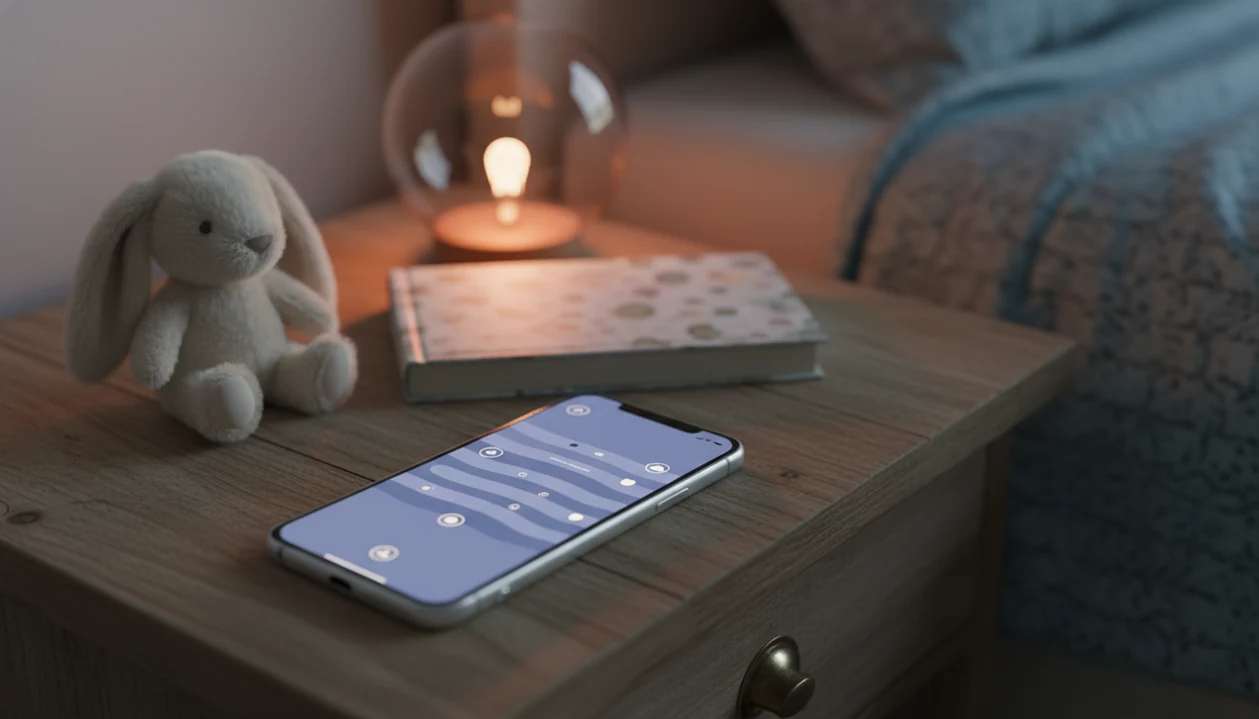
To download kids bedtime stories to your phone, install a trusted bedtime story app or audio service, choose age-appropriate stories, tap the in-app Download or Offline button, and test playback in airplane mode before bedtime. The important part is testing the exact story before the lights are low and your child is already asking, “Just one more story.”
Kids Bedtime TL is a kids bedtime stories app that provides bedtime stories, sleep meditation, lullabies, and nap routines for parents of toddlers and young children.
- A story app being installed does not mean its stories are saved offline; each story usually needs its own download.
- Download stories over Wi-Fi, then test them in airplane mode before trips, outages, or low-signal nights.
- Use screen-off playback, parental controls, and regular storage cleanup to keep offline bedtime stories calm and practical.
How how to download kids bedtime stories to phones look
Side-by-side captures of the compared products. Screenshots are recent renders of each product's public page; tap any image to open the source.
What Downloading Kids Bedtime Stories To Phone Means
Downloading kids bedtime stories to a phone means saving story audio, story text, lullabies, or sleep meditations to local phone storage so they can play without Wi-Fi or mobile data. A downloaded story is different from a bookmark, playlist, saved favorite, or installed app.
Parents usually want this for ordinary pressure points: car trips, grandparents’ houses, weak Wi-Fi, power outages, or naps away from home. A picture book beside a nap mat is lovely, but a saved audio story can cover the moment when everyone is tired and the house is unfamiliar.
For travel nights, offline bedtime stories for kids work best when they are chosen before the settling window, not during it. Downloaded content gives you a predictable sequence, not a guarantee.
How Offline Kids Stories Phone Downloads Work
Offline kids story downloads work by saving selected files inside protected app storage on iPhone or Android. The file may be audio, text, images, or a meditation track, but most apps keep it inside the app rather than placing it in your music folder.
- Offline story files are usually stored in the app’s private download area.
- Many services require an account, subscription, or logged-in session before the download button appears.
- A playlist or favorite list may still stream unless each title is downloaded.
- Offline files often disappear if the app is uninstalled or the subscription ends.
- A routine-focused story app can group bedtime stories, sleep meditations, lullabies, and nap routines so parents are not browsing at bedtime.
Kids bedtime stories, sleep meditation, lullabies, and nap routines for toddlers and young children deliver a calm-down cue and predictable sequence, not a guaranteed sleep result.
Phone Requirements Before You Download Bedtime Stories
“What should I check before I download bedtime stories phone content?” Start with storage, Wi-Fi, app access, and child safety settings. These four checks prevent most failed downloads at bedtime.
Open your phone storage settings before downloading a large batch of stories, lullabies, or sleep meditations. Connect to Wi-Fi, especially before a trip, because audio files can use data and partial downloads may fail later. Make sure the app is updated and the parent account or subscription is active.
As a rough rule, download only tonight’s favorites plus a few backups first; a shorter offline list makes it easier to find the right story when the room is dark and everyone is tired.
Set parental controls, content filters, and screen-time limits before handing over the phone. The American Academy of Pediatrics advises families to create a media use plan and avoid screens 1 hour before bedtime source. Clinicians typically recommend consistent routines and reduced bedtime stimulation, so audio-only playback is often easier to fit into sleep hygiene than video.
The 7:15 p.m. scramble is real.
How To Use A Phone To Save Bedtime Stories Offline
To save bedtime stories offline, install the app, choose specific titles, download each one, and test playback without internet. For many families, downloading a small set is easier than building a huge library because it keeps bedtime choices simple.
- Install a trusted story app or audio service from the App Store or Google Play.
- Choose age-appropriate stories, lullabies, or meditations that match tonight’s routine.
- Tap the label that says Download, Offline, Save to device, or Download on this device.
- Watch the progress icon until the story shows as fully downloaded.
- Test the exact story in airplane mode before relying on it at bedtime.
- Set the phone face-down on a dresser, with volume, timer, and lock-screen playback ready.
For a fuller app-focused setup, a download offline bedtime stories app guide can help you compare offline labels and routine features before a low-Wi-Fi night.
iPhone And Android Download Bedtime Stories Phone Steps
iPhone and Android both support offline bedtime story downloads, but the setup path differs. In most apps, downloaded stories stay inside the app rather than appearing in a visible music folder.
| Setup area | iPhone | Android |
|---|---|---|
| Install path | App Store | Google Play |
| Storage location | Usually inside app downloads | Usually inside app downloads |
| Playback checks | Lock screen, Focus, battery | Lock screen, battery, background permissions |
| Common issue | App offloaded or storage full | Battery saver stopping playback |
iPhone offline story settings
On iPhone, check storage, Background App Refresh, Focus settings, and whether the app has been offloaded. A familiar lullaby in a strange bed only helps if the phone still lets the app play after the screen locks.
Android offline story settings
On Android, review battery saver, app permissions, and background playback. Some phones pause audio when aggressive battery settings are on, so test once before the hallway light gets cracked open.
Screen-Off Playback For Offline Kids Stories Phone Routines
“Can offline kids stories phone routines work without extra screen time?” Yes, if you use audio-only playback with the screen locked, dimmed, or placed away from the child. Screen-off listening keeps the story as a calm-down cue instead of a new thing to tap.
Research in Pediatrics reported that each additional hour of screen use among preschool children was associated with shorter sleep duration and later bedtimes source. That does not mean every bedtime audio story is a problem. It does mean the format matters.
Use timers, low brightness, Do Not Disturb, and lock-screen controls. Keep the phone out of the child’s hands when possible. The low hum of a white-noise track under a soft-spoken story feels very different from a bright video queue.
Common Mistakes When You Save Bedtime Stories Offline
The most common offline story mistake is assuming “saved” means “downloaded.” A favorite, playlist, bookmark, or watch-later list may still need internet.
- Saving a playlist is not the same as downloading each story file.
- Many free browser stories stream only and do not allow legal offline downloads.
- YouTube playlists typically require internet unless a valid offline download option is available through the service.
- Incomplete downloads may appear in the library but fail in airplane mode.
- Deleting the app usually deletes its offline stories too.
For long drives, car ride sleep stories for kids should be downloaded while the phone is charging and connected to Wi-Fi. Not in the driveway. That is when someone realizes the missing stuffed rabbit is still upstairs.
How To Verify Offline Kids Stories Before Bedtime
The safest way to verify offline kids stories is to test the exact title in airplane mode before the bedtime routine starts. Do this while your child is still calm, not after pajamas and toothbrush.
- Turn on airplane mode after downloads finish.
- Open the app and play the exact story, lullaby, or meditation planned for bedtime.
- Lock the screen and confirm the audio keeps playing.
- Check volume, sleep timer, Do Not Disturb, and battery level.
- Keep two or three backup stories downloaded for trips, outages, or slow hotel Wi-Fi.
If you are preparing for a stay away from home, a bedtime routine for hotel room with toddler can pair offline audio with familiar steps.
Limitations
Offline bedtime story downloads are useful, but they have real limits. They should support a bedtime routine, not replace one.
- Not every app or website offers true offline mode.
- Some downloads require a paid subscription or active account.
- Uninstalling an app often removes downloaded stories from the phone.
- Large audio libraries can consume storage quickly, especially with lullabies and meditations.
- Offline access does not stop a child from opening other apps without parental controls.
- Some free download sites include ads, trackers, or unclear content rights.
- Downloaded stories do not solve every bedtime struggle, fear, or sleep concern.
- If bedtime problems are persistent or severe, parents should ask a pediatrician or qualified sleep specialist.
Apps such as Kids Bedtime TL, Moshi, Calm, Headspace, Vooks, and Storyberries may fit different families depending on age range, content style, offline access, and subscription model.
FAQ
Can bedtime stories play offline?
Bedtime stories play offline only after they are fully downloaded inside an app or service that supports offline mode. Installing the app alone is not enough.
Where are downloaded stories stored?
Most downloaded stories stay inside the app’s protected Downloads or Offline section. They usually do not appear in the phone’s general music folder.
Do downloads work in airplane mode?
True offline downloads should work in airplane mode. Test the exact story before bedtime to confirm it plays without Wi-Fi or mobile data.
Can YouTube stories be downloaded?
YouTube playlists usually stream online. Offline downloads generally require a supported paid or authorized download option within the service.
Do story downloads use phone storage?
Yes, downloaded audio and story files use local phone storage. Delete old downloads when they are no longer part of the routine.
Will downloads stay after uninstalling?
Uninstalling a story app usually removes its downloaded offline stories from the phone. Reinstalling may require downloading the stories again.
Are free story downloads safe?
Use trusted apps or legitimate sources. Avoid sites with unclear rights, excessive ads, unusual permissions, or tracking-heavy download prompts.
How many stories should I download?
Download a small rotating set, such as a few favorites plus two or three backups. Kids Bedtime TL and similar apps can help families keep that set routine-focused.