
Children Sleep App Safety Checklist for Parents
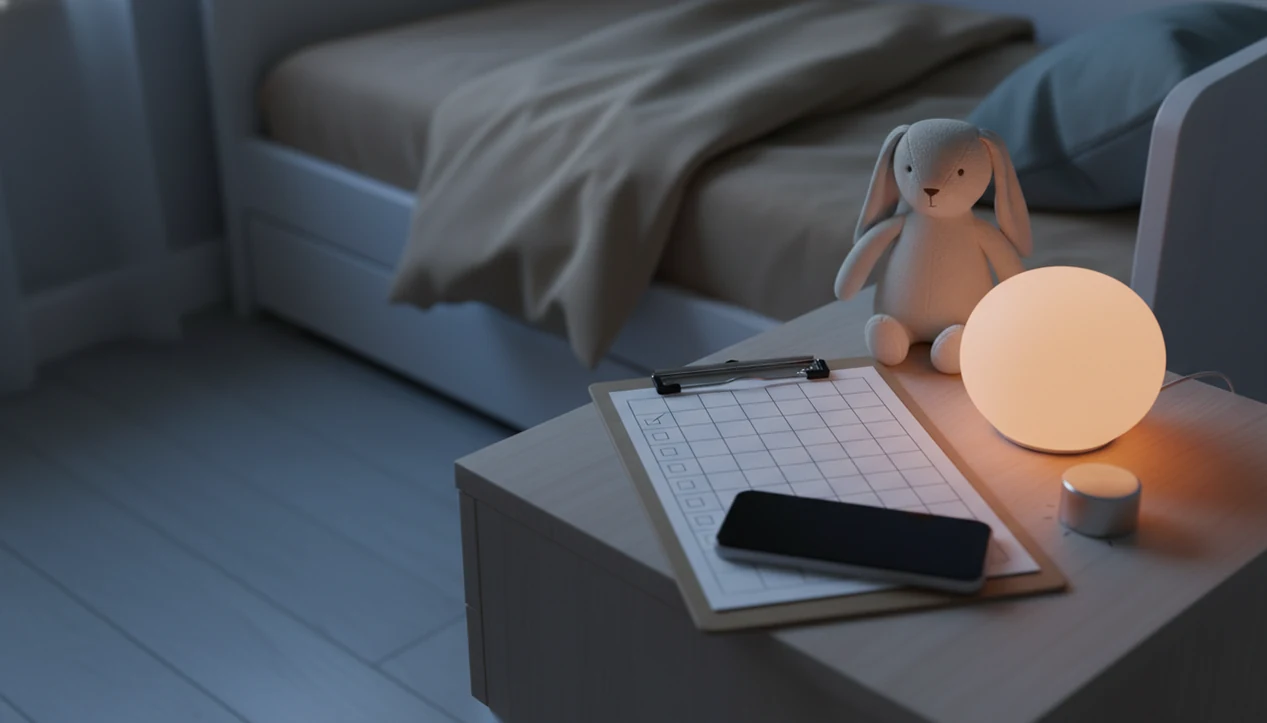
Use this children sleep app safety checklist before letting a toddler or young child use any bedtime app: check privacy, ads, audio volume, screen exposure, sleep claims, parent controls, and whether the app supports a calm routine instead of replacing one. The safest choice is an app that helps parents manage bedtime without collecting unnecessary data, overstimulating children, or making medical-style promises.
> A children sleep app safety checklist is a parent review tool for judging whether a kids bedtime app is private, age-appropriate, low-stimulation, and compatible with safe sleep routines.
- Check privacy, permissions, ads, autoplay, purchases, notifications, audio volume, and screen use before bedtime.
- Look for evidence-based routine support; one review found only 21% of 83 children’s sleep app descriptions included evidence-based sleep strategies.
- A sleep app can support bedtime, but it cannot replace infant safe sleep rules, medical advice, or a consistent parent-led routine.
Children Sleep App Safety Checklist At A Glance
A safe kids sleep app checklist starts with five areas: data, content, bedtime design, money, and parent controls. Check these before the first night, not after the 7:15 p.m. scramble of pajamas, toothbrush, and one missing stuffed rabbit.
- Privacy and permissions: child profile data, microphone access, location, sleep logs, voice recordings, device ID, and account creation.
- Content safety: age-appropriate stories, lullabies, sleep meditations, language, themes, emotional tone, and read-aloud options.
- Bedtime design: no autoplay loops, push notifications, bright animation, reward mechanics, or stimulating games.
- Commercial safety: ads, in-app purchases, third-party links, subscriptions, free trials, and upsell prompts.
- Parent controls: PINs, timer settings, offline mode, volume limits, and easy cancellation.
The most useful bedtime app safety review checks what the child sees and what the app collects in the background.
How To Use This Children Sleep App Safety Checklist
Use this checklist before the app becomes part of the bedtime routine. The goal is to slow down once, review the risky parts in order, and avoid making safety decisions when everyone is tired.
- Start with the app store privacy label and privacy policy before creating a child profile. Look for what data is collected, whether tracking is used, and whether the app can work without extra personal details.
- Review ads, purchases, notifications, external links, subscriptions, and free trials next. Bedtime is not the place for surprise prompts, upsells, or buttons that send a child outside the app.
- Test the bedtime experience yourself. Play a story, lower the volume, set the timer, check autoplay, dim the screen, and see what happens when the track ends.
- Check infant sleep-space rules before using any phone, tablet, speaker, cord, or monitor near a crib, bassinet, or play yard.
- Stop using the app as a sleep tool if claims sound medical, your child becomes more distressed, or sleep problems keep persisting despite a steady routine.
Five Bedtime App Safety Facts Parents Should Know
- A 2023 review of 83 children’s sleep app descriptions found that only 21% included evidence-based sleep improvement strategies. [Source: https://pubmed.ncbi.nlm.nih.gov/?term=children%27s+sleep+apps+83+21%25+evidence-based+sleep+improvement+strategies]
- In the same review, only 1 app had support from a real-world clinical effectiveness trial. [Source: https://pubmed.ncbi.nlm.nih.gov/?term=children%27s+sleep+apps+83+21%25+evidence-based+sleep+improvement+strategies]
- Calming music, soft voices, and bedtime stories do not automatically mean an app protects privacy or follows sleep science.
- AAP infant sleep guidance still centers on back sleeping, a separate sleep space, and a firm, flat surface.
- Apps should support a parent-led bedtime routine, not become the child’s required sleep condition.
That last point matters at 2 a.m. If a child can only settle when one specific track loops forever, the app has quietly become part of the sleep dependency.
For toddlers and preschoolers, bedtime stories, sleep meditation, lullabies, and nap routines should offer calm-down cues, not medical treatment or a guarantee that sleep will happen on demand.
Children Sleep App Data Flows And Bedtime Design Mechanics
Children sleep apps work through two systems at once: behavioral cues and digital data flows. The behavioral side uses habit loops, which means the same cue, sequence, and ending repeat until bedtime feels more predictable.
A good routine lowers stimulation. It uses consistent timing, a short settling window, and parent-led transitions. Think of a phone set face-down on a dresser so the screen does not brighten the room, while the audio stays low and brief.
The technical side needs equal attention. Apps may collect profiles, analytics events, advertising tracker data, microphone input, location access, or cloud-stored sleep logs. Interface mechanics also shape safety: autoplay, badges, bright animation, rewards, and notifications can keep a child engaged when the goal is winding down.
Audio mechanics matter too. Check volume, duration, looping, headphones, speaker placement, and parent-controlled timers. A safety review must include both the child-facing content and the back-end privacy practices.
Kids Sleep App Checklist For Privacy And Data Safety
Does this sleep app collect more child data than it needs? Read the app store data safety label and the full privacy policy before creating a child profile.
Check whether the app asks for a child’s name, age, birthdate, voice, sleep patterns, location, device ID, or usage analytics. Prefer apps that work without precise location, microphone access, public profiles, social sharing, or contacts. A soft moon icon does not tell you anything about data sharing.
Small print counts.
Look for deletion controls, account removal, data export, and parent consent processes. If the policy is vague about advertising partners or “improving services,” slow down. Our deeper guide to kids bedtime app privacy explains the common labels parents see in app stores.
For U.S. families, also check whether the app explains parental consent, data deletion, and child-directed advertising in plain language. The FTC's COPPA guidance is a useful baseline for what children's privacy notices should cover: https://www.ftc.gov/business-guidance/privacy-security/childrens-privacy
For families, a privacy-light app is often easier than a feature-heavy app because bedtime already has enough moving parts.
Children Sleep App Checklist For Ads, Purchases, And Notifications
Commercial features can interrupt bedtime even when the main content is gentle. Check for third-party ads, sponsored stories, external links, ad personalization, and any screen that sends a child outside the bedtime routine.
Review in-app purchases before the first use. Look at subscription prompts, free trials, cancellation paths, paid story packs, and child-directed upsells. “Just one more story” is already a common pressure point; a purchase button beside the next story makes that harder.
Turn off push notifications, streaks, rewards, reminders, and alerts that pull attention back to the device. Avoid autoplay video, endless recommendations, badges, points, or game-like bedtime mechanics. These are designed for engagement, not settling.
Parent-only controls should be protected by a PIN or device-level restrictions. If a child can change timers, open links, or start new content from bed, the app is not really parent-led.
Bedtime App Safety Checks For Audio, Screens, And Sleep Claims
Use low volume, short duration, sleep timers, and parent-controlled playback. Keep visual use brief, and avoid bright animations, interactive games, or child-held screens in bed.
| Safety area | Prefer | Avoid |
|---|---|---|
| Audio volume | Low speaker volume across the room | Loud continuous sound near the child |
| Playback length | Short stories, timers, and clear endings | All-night loops without parent review |
| Screen use | Parent selects, then screen goes dark | Child scrolls in bed |
| Claims | Routine support and calming content | “Cures insomnia” or “guarantees sleep” |
| Next step | Pediatrician for chronic concerns | Treating an app as a diagnosis tool |
Evidence for children’s sleep apps is limited, and many have not been clinically tested. Scrutinize claims such as stops night waking, fixes sleep regression, cures insomnia, or guarantees sleep. Clinicians typically recommend medical review for snoring, breathing pauses, severe night waking, or chronic sleep problems; our guide on when to call pediatrician for sleep covers those boundaries.
The most common medically supported way to improve bedtime behavior is a consistent routine combined with age-appropriate calming cues.
Children Sleep App Safety And Infant Sleep Environment Rules
For infants, app safety starts with the sleep space, not the app feature list. AAP safe sleep guidance recommends that infants sleep on their backs in their own sleep space with no other people: https://www.aap.org/en/patient-care/safe-sleep/
AAP also advises using a crib, bassinet, or portable play yard with a firm, flat mattress and fitted sheet. Seattle Children’s advises that crib slats should be no more than 2-3/8 inches apart: https://www.seattlechildrens.org/health-safety/keeping-kids-healthy/prevention/safe-sleep/ Do not place a phone, tablet, speaker cord, loose monitor, pillow, blanket, or plush item inside an infant sleep space.
The cord check is real.
If you use lullabies or white noise, place the device outside the crib area and keep the volume low. The low hum of a white-noise track under a soft-spoken story may help mark the routine, but it never overrides safe sleep rules. For more toddler-specific screen context, read should toddlers use screens before bed.
When To Call A Pediatrician About Child Sleep Problems
Call a pediatrician promptly when sleep problems look medical, frightening, or persistent. A bedtime app can make routines calmer, but it cannot diagnose sleep apnea, reflux, seizures, anxiety, insomnia, developmental concerns, or behavioral sleep disorders.
Use a clear escalation plan instead of trying one more track at midnight:
- Seek urgent help if your child has breathing pauses, choking or gasping, blue lips, seizure-like movements, or is hard to wake.
- Call the pediatrician for loud regular snoring, chronic trouble falling asleep, reflux symptoms, anxiety at bedtime, severe night waking, or sleep problems that keep repeating despite a steady routine.
- Reduce app use if it delays care, makes your child more distressed, becomes the only way sleep happens, or turns bedtime into more scrolling, bargaining, or fear.
- Bring details such as snoring patterns, wake times, reflux signs, medications, naps, and what the app does before sleep.
For deeper triage context, use our guide on when to call pediatrician for sleep. The safest boundary is simple: routines can be supported by apps; ongoing health concerns belong with a clinician.
Kids Bedtime TL App Safety Position For Parents
Kids Bedtime TL is a kids bedtime stories app that provides bedtime stories, sleep meditation, lullabies, and nap routines for parents of toddlers and young children. It should be reviewed with the same children sleep app safety checklist parents use for any bedtime app.
The practical scope is narrow on purpose: calm stories, gentle audio, age-appropriate routines, and parent-led use. A parent might queue a short nap story after bath, set a timer, then leave the hallway light cracked open while starting the same story again from the chair.
Kids Bedtime TL is not a medical sleep treatment, diagnosis tool, babysitter, or replacement for safe sleep guidance. Tools like Kids Bedtime TL can support a predictable sequence, but parents still decide what plays, how long it plays, and whether the sleep environment is safe.
Apply the same standard to every app, including ours. Trust comes from reviewable controls, modest claims, and clear boundaries.
Limitations
A checklist is useful, but it cannot make bedtime fully predictable. Children bring temperament, development, illness, fears, family stress, and routine consistency into the room.
- A checklist cannot guarantee that a child will fall asleep faster or stay asleep longer.
- App-store descriptions can be incomplete, outdated, or misleading.
- Many children’s sleep apps have limited evidence and few real-world clinical trials.
- A sleep app cannot diagnose or treat sleep apnea, chronic insomnia, reflux, anxiety, seizures, or other medical issues.
- Infant safe sleep depends on the sleep environment, not the app.
- Privacy practices can change after updates, acquisitions, or new advertising partners.
- Family routines, child temperament, developmental stage, health, and consistency strongly affect sleep outcomes.
If bedtime problems are persistent, loud, frightening, or paired with breathing concerns, use the app less and involve a clinician sooner.
FAQ
Are kids sleep apps safe for toddlers?
Kids sleep apps can be safe for toddlers when privacy, content, ads, screen design, parent controls, and the sleep environment are reviewed first. They should be used briefly and parent-led.
What app permissions should parents avoid in a sleep app?
Parents should be cautious with microphone, precise location, contacts, photos, tracking, public profiles, and unnecessary account data. A sleep app usually does not need those permissions to play stories or lullabies.
Should toddlers use bedtime apps before sleep?
Toddlers may use parent-led audio or short stories before sleep, but apps should not replace the bedtime routine. Keep screens brief, low-stimulation, and out of the child’s hands in bed.
Are ads in children’s sleep apps risky?
Yes, ads can expose children to unsuitable content, tracking, external links, and bedtime disruption. Ad-free or parent-controlled options are usually safer for bedtime.
Can a sleep app replace a bedtime routine?
No, a sleep app can support predictable bedtime cues, but it should not replace a consistent parent-led routine. The routine matters more than the app.
Are lullaby apps safe for infants?
Lullaby apps may be used cautiously from outside the infant sleep space at low volume. Safe sleep rules for the crib, bassinet, or play yard remain the priority.
How loud should bedtime app audio be for children?
Use low volume, short playback, and a sleep timer. Avoid headphones and loud continuous sound near a child’s ears.
Do children’s sleep apps need clinical evidence?
Parents should look for evidence-based sleep strategies and be cautious with guaranteed sleep claims. Kids Bedtime TL and any similar app should be treated as routine support, not clinical treatment.